Yes. Brave is safe, and out of the box it blocks more tracking than any other mainstream browser. That's the short answer, and it holds up under independent testing. The longer answer is why this question gets asked so much: Brave has a genuinely excellent privacy engine attached to a company with a habit of monetization stumbles (affiliate-link injection, unasked-for VPN services, a crypto rewards program, and now an AI push and a copyright lawsuit). None of those change what Shields does for you; several are worth switching off. Here's both halves, sourced.
What Brave gets right
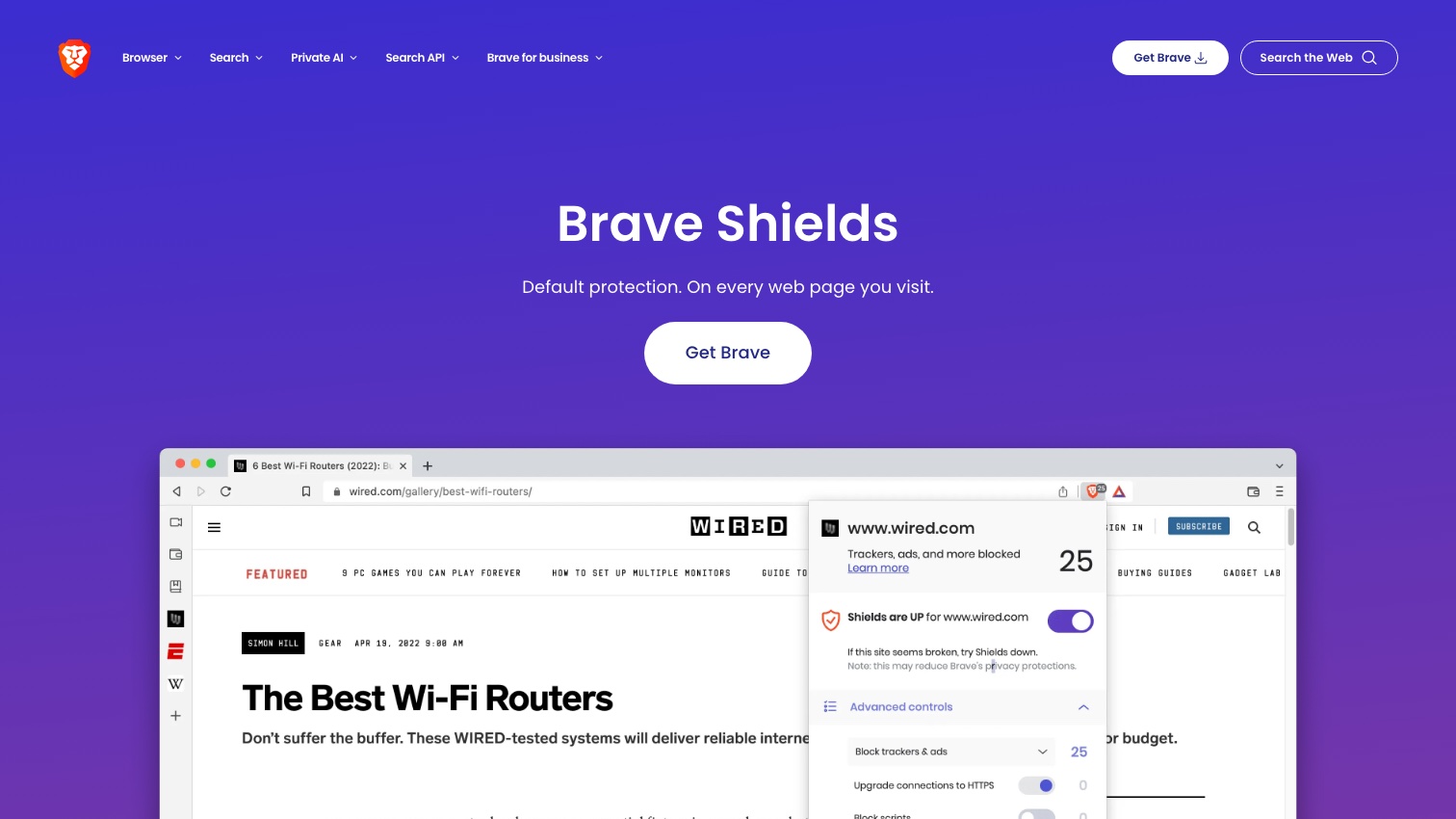
Brave's core protection, Shields, blocks ads, cross-site trackers, and third-party cookies by default: no setup, no extensions. Three engineering choices make it stronger than a Chrome-plus-extension setup:
- It's built into the browser, not an extension. When Google's Manifest V3 rules killed full uBlock Origin on Chrome, Brave was unaffected: "Manifest V3 will not weaken Brave Shields in any way," because Shields is native code with no dependence on Chrome's extension APIs. Brave even force-enables the old extension framework for uBlock Origin, uMatrix, NoScript, and AdGuard. As of 2026 it's one of only two major browsers where the full uBlock Origin still runs (our post-Manifest-V3 ad blocker guide covers the whole field).
- Fingerprint randomization ("farbling"). Instead of only blocking fingerprinting scripts, Brave feeds them slightly randomized values per site, per session, so the "fingerprint" they collect stops matching you. On the EFF's Cover Your Tracks test, this shows up as a randomized fingerprint, the best result the tool reports.
- Ephemeral third-party storage. Data that third-party sites stash while you browse is partitioned and cleared when you quit, cutting off the long-term tracking channel without breaking sites.
One transparency note on test results you'll see cited: Brave tops the rankings at PrivacyTests.org, and those results appear genuine. The site's creator, however, worked as a Brave privacy engineer for several years, a conflict of interest the project now discloses on its About page (he says he has since left Brave and has always run the tests independently). Weigh it as one input, alongside EFF's tool and academic testing, not as independent gospel.
The track record — every incident, dated
An honest safety review has to include the stumbles, so here they are:
- 2020: affiliate links in the address bar. Typing certain crypto-exchange addresses autocompleted to URLs carrying Brave's own referral code. CEO Brendan Eich called it a mistake. It was fixed within days, with the behavior defaulted off.
- 2021: Tor window DNS leak (CVE-2021-21323). A feature interaction caused Brave's private-window-with-Tor mode to leak .onion lookups to your DNS provider for about three months, and the stable fix shipped only after the bug became public. The honest takeaway: Brave's Tor mode is a convenience, not a Tor Browser substitute. If Tor-grade anonymity matters, use the real thing.
- Ongoing: referral-coded installers. Installers downloaded from brave.com carry a referral code in the filename that's reported back on first run, documented in Brave's own wiki and flagged by Privacy Guides, whose mitigation is simply renaming the installer before running it.
- 2023: VPN services without consent. Brave on Windows installed dormant VPN system services even for users who never bought its VPN. After coverage, Brave limited installation to actual purchasers.
- 2024: strict fingerprinting mode removed. Brave sunset its "aggressive" fingerprinting option, keeping only the standard randomization, a pragmatic call (the strict mode broke sites) that some in the privacy community read as a retreat.
- 2023–2026: the crawling fight. Criticism that Brave's search crawler doesn't identify itself and that Brave sold search data for AI training escalated into litigation: Brave preemptively sued News Corp in 2025 arguing its indexing is fair use, and News Corp countersued for copyright infringement in July 2026. That case is live as we write this, and it's about Brave's search business, not browser users' data — but it colors the company's trust story.
Notice the pattern: the incidents cluster around Brave-the-business, not Shields-the-protection. No incident above involved selling or leaking users' browsing data.
The crypto and AI clutter — and the settings that fix it
Brave ships with Brave Rewards (its BAT cryptocurrency program), a crypto wallet, sponsored new-tab images, and Leo, its AI assistant. All are optional, and none are needed for the privacy protections. Together they are the main reason privacy-minded users distrust Brave, a sentiment that boiled over in community threads through 2025–2026 as the AI features grew. On Leo specifically, Brave's published policy says chats aren't stored or used for training and are proxied anonymously. A widely shared 2026 Reddit thread alleged otherwise, but we found no technical confirmation of that claim. Brave's documentation remains the best evidence, and turning Leo off ends the question.
Ten minutes of settings gets you the quiet, hardened version of Brave (this matches Privacy Guides' recommended configuration):
- Shields → Trackers & ads blocking: Aggressive; Upgrade to HTTPS: Strict; Block fingerprinting: on; Block third-party cookies: on.
- New Tab Page → turn off Sponsored Images, hide the Brave Rewards and Wallet icons, and disable Rewards entirely (it relies on custodial crypto accounts).
- Leo → disable if you won't use it.
- Privacy → turn off all telemetry (P3A analytics, daily usage ping, diagnostics), disable Google push messaging.
Brave vs DuckDuckGo: which should the everyday user pick?
These two get compared constantly because they're the two credible "install it and you're done" privacy browsers. The honest split: Brave is the more powerful tool: stronger fingerprinting defenses, aggressive blocking, full extension support including uBlock Origin, and desktop feature-parity with Chrome. DuckDuckGo's browser is the simpler one: fewer features, no crypto or rewards anywhere, and a gentler experience for someone who found Brave's extra buttons off-putting. Both are safe; pick by temperament. Our DuckDuckGo review makes the same examination of that browser's record, and our guide to the best private browsers maps where both sit among all the options, hardened Firefox and Mullvad included.
Frequently asked questions
Is Brave Chromium-based? Yes. Brave is built on Chromium, the same engine as Chrome, with Google's tracking and account plumbing stripped out and Shields compiled in. You get Chrome-level site compatibility without Chrome-level data collection.
Does Brave sell your data? No evidence has ever shown Brave selling user browsing data, through every controversy above. Its revenue comes from its (optional) ads program, search, VPN, and other products.
Is Brave safe for banking? Yes. Shields doesn't interfere with secure sites, and blocking trackers reduces your exposure to malicious ad scripts rather than adding risk.
Is Brave's Tor mode as safe as Tor Browser? No. Treat it as light cover, not anonymity. It has had at least one serious leak (2021), and the Tor Project's own browser gets the anti-fingerprinting engineering that mode lacks.
What actually protects you
Brave is safe to use. For most people it's the strongest reasonable default, precisely because its protections work before you touch a single setting. Its real weaknesses are trust wobbles from the business side, and every one of them is either fixed, disclosed, or a feature you can switch off in minutes.
What no browser setting can switch off is the exposure that already exists: the people-search profiles listing your name, home address, phone number, and relatives, compiled from public records and data brokers long before you hardened anything. Brave stops the tracking that feeds future profiles. Removing the existing ones is a site-by-site opt-out process, mapped in our full removal guide.
That's the layer Delist My Data automates: filing removals across people-search sites and re-filing when your data reappears. We're in pre-launch now. Join the waitlist for founding-member access as we bring it online.